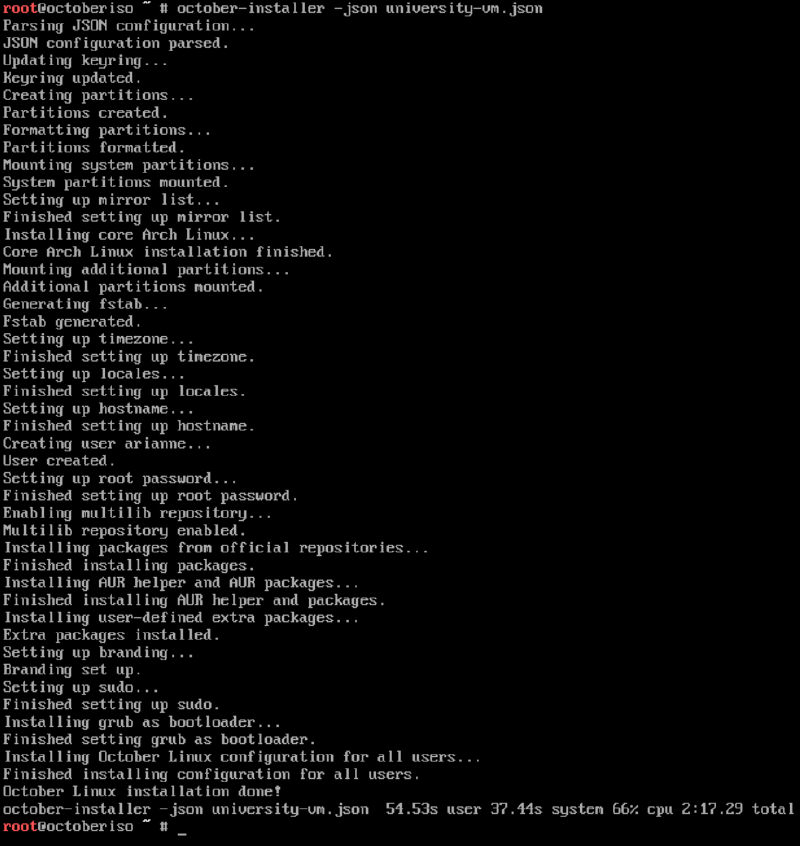
Installing October Linux requires downloading the ISO.
Once booted up, you will be able to use the october-installer command to start the installation.
If using Wi-Fi, you will need to connect using iwctl first.
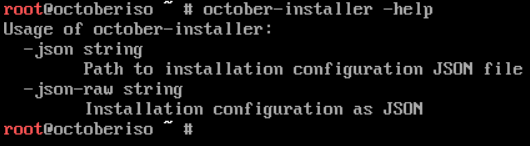
For example: october-installer -json config.json
The easiest way to import your JSON configuration into the live ISO is to host it in a GitHub repository and curl it.
Example#
JSON configuration#
{
  "drives": [
    {
      "path": "/dev/vda",
      "append": false,
      "partitions": [
        {
          "size": {
            "amount": 1,
            "unit": "GiB"
          },
          "partitionType": "C12A7328-F81F-11D2-BA4B-00A0C93EC93B"
        },
        {
          "size": {
            "amount": 2,
            "unit": "GiB"
          },
          "partitionType": "0657FD6D-A4AB-43C4-84E5-0933C84B4F4F"
        },
        {
          "size": {
            "takeRemaining": true
          },
          "partitionType": "4F68BCE3-E8CD-4DB1-96E7-FBCAF984B709",
          "fileSystem": "ext4"
        }
      ]
    }
  ],
  "users": [
    {
      "username": "arianne",
      "password": "censored",
      "sudoer": true
    }
  ],
  "mirrorCountries": ["Canada", "United States"],
  "timezone": "America/Montreal",
  "locale": "en_US.UTF-8",
  "hostname": "kitaria",
  "rootPassword": "censored",
  "bestEffortGPU": false,
  "extraPackages": {
    "officialRepositories": [
      "archiso",
      "archlinux-xdg-menu",
      "btop",
      "fastfetch",
      "progress",
      "python-termcolor",
      "zip",
      "unzip",
      "zed",
      "zsh",
      "code"
    ],
    "aur": ["go-chroma-bin", "oh-my-posh-bin", "onefetch"]
  }
}Installation#